Customer Take Date Confirmation: Release Shop Orders Only When Customers Can Receive Them
Confirm the customer take date before shop release so work is not built early and stored on the floor.

- Creator
 WillytheMinimalist
- Company
 Southwest Steel Buildings
- Wastes
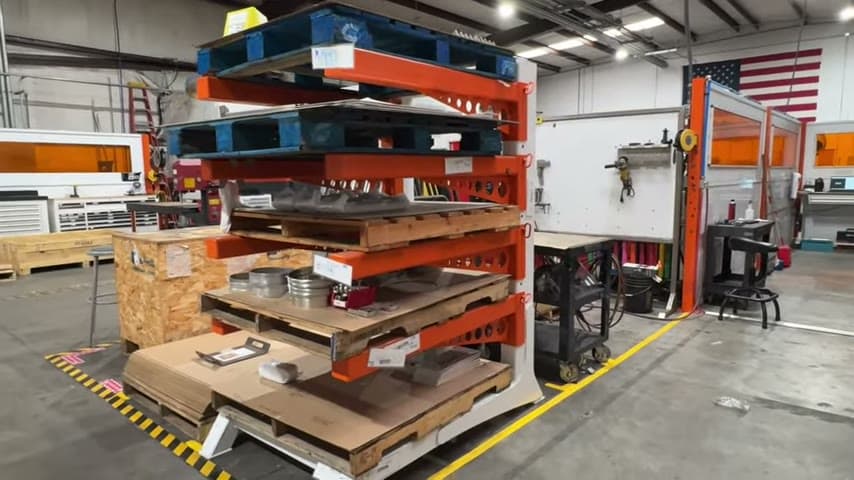
Orders can be released to the shop before the customer is ready to take them, creating early floor storage, extra inventory, overproduction, and more chances for damage or defects while product waits.
Before putting an order into the shop, the team confirms when the customer can take it. If the customer does not need it yet, the release is held or timed so production supports a fresher delivery.
Make confirmed demand timing visible and reusable before releasing work.
What is a Customer Take Date Confirmation?
Customer take date confirmation is a release gate in the order process. The shop does not receive the order until the team knows when the customer can actually take the product.
The transcript describes treating inventory like fresh fruit. The point is not to build early just because an order exists, but to time production closer to when the product adds value for the customer.
The confirmed take date becomes shared knowledge for planning. Instead of each scheduler guessing or repeating the same question, the answer is captured once and reused to decide when the order should enter the shop.
Why it works
This improvement turns customer timing into reusable knowledge at the release point, adding value and mistake-proofing against building too early.
- Reuses the confirmed customer take date so people do not re-solve the same scheduling question for every order.
- Adds value by aligning production timing with when the customer can receive and use the product.
- Mistake-proofs shop release by requiring a known take date before work is started.
- Prevents repeat errors where orders are built early and stored on the floor before the customer needs them.
Evidence: The speaker says, "Before we put the order to the shop, we know when the customer can take it," and explains that customers are asked to help provide the freshest product possible.
How to create this idea
- 1Separate the dates
Record the order date and the customer take date as different facts. Do not assume that order entry means the customer is ready to receive.
- 2Ask at order entry
Ask the customer when they need the product and when they can take it. Explain that accurate timing helps deliver a fresher product.
- 3Make it a release gate
Do not put the order into the shop until the customer take date is confirmed. Make the missing date visible as a problem to resolve.
- 4Time the release
If the customer does not need the product yet, hold the shop release until production timing matches the take date.
- 5Review early storage
When product still finishes too early and sits on the floor, check whether the take date was missing, wrong, or ignored. Update the release rule so the mistake is not repeated.
Best used when
- make to order work
- customer scheduled delivery
- early floor storage
- freshness matters
- inventory buildup
Less useful when
- true build to stock
- same day demand
- customers cannot commit
- mandatory safety stock
Tags
- Problem
- inventoryoverproductiondefects
- Lean methods
- pullrelease controlmistake proofing
- Application
- shop releaseorder entryscheduling
Captured from WillytheMinimalist at Southwest Steel Buildings in the video "Southwest Steel Buildings Lean Tour", at 00:02:45. On Lean Toolbox. Watch the original video on YouTube ↗