CRM Phone Menus: Route Callers Directly to the Technician Who Can Help
Use CRM phone menu choices to connect callers with the department that actually fixes their issue.
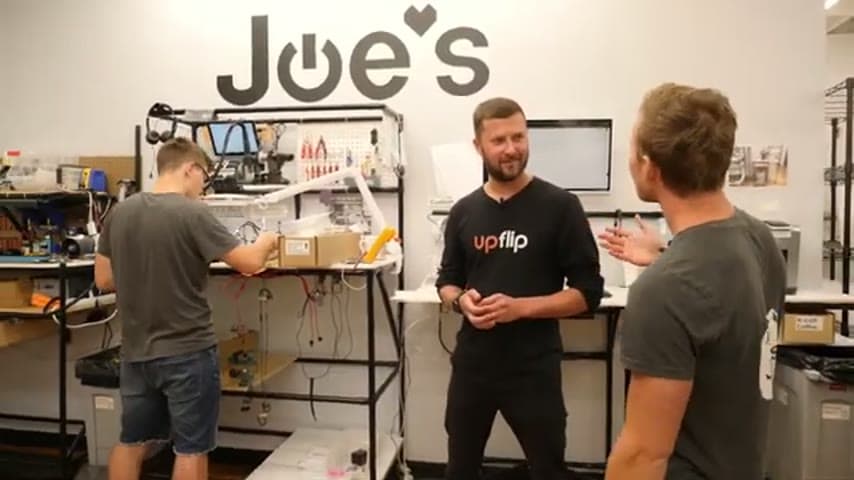
- Creator
 UpFlip
- Company
- Joe's Gaming and Electronics
- Wastes
Customers reach a general receptionist or the wrong person who cannot answer the technical question, creating holds, transfers, repeated explanations, and waiting.
The team uses CRM phone menus to route callers directly to technicians in the department that handles the issue they are asking about.
Route work to the expert so proven knowledge is reused at the first point of need.
What is a CRM Phone Menus?
A CRM phone menu is a call routing setup that sends customers to the department most likely to solve their issue. Instead of every call starting with a general receptionist, the menu creates a simple path to the right technical knowledge.
In this example, the goal is for customers to talk to the person actually fixing the thing they are asking about. The menu reduces the chance that a caller is placed on hold while someone searches for the right answer.
The Lean value is knowledge reuse. Common questions go directly to people with proven answers, so the customer gets useful help and the team avoids repeating the same handoff errors.
Why it works
Direct routing makes expert knowledge visible and reusable at the moment the customer needs it.
- Adds value by connecting the caller to someone who understands and fixes the issue.
- Reduces overprocessing by avoiding unnecessary screening, relaying, and transfer loops.
- Reduces waiting because fewer callers are placed on hold while the right person is found.
- Mistake-proofs the handoff by using menu choices to guide calls to the correct department.
- Uses technician knowledge directly instead of hiding it behind people who may not know the answer.
Evidence: The speaker says the rewarding way to add value is for customers to talk to the person actually fixing what they are asking about, and that this avoids putting people on hold.
How to create this idea
- 1List call reasons
Collect the common reasons customers call. Group them by the department or technician skill needed to solve them.
- 2Map each route
Assign each call reason to the team that actually fixes that issue. Avoid routing through people who cannot answer the question.
- 3Use customer language
Write menu choices in words callers understand. Do not rely only on internal department names.
- 4Configure the menu
Set up the CRM phone menus so each choice routes directly to the right technician group or department.
- 5Review misroutes
Ask technicians which calls still arrive in the wrong place. Update the menu so the proven route is easier to reuse.
Best used when
- technical questions
- repeat call types
- multiple departments
- frequent transfers
- customers on hold
Less useful when
- rare custom requests
- unclear ownership
- no available experts
- few call types
Tags
- Problem
- waitingoverprocessinghandoffsunused talent
- Lean methods
- knowledge reusemistake proofingstandard work
- Application
- customer servicephone supportCRM
Captured from UpFlip at Joe's Gaming and Electronics in the video "Lean Manufacturing: Improve Business Efficiency & Maximize Profits (Pt. 1)", at 00:12:00. On Lean Toolbox. Watch the original video on YouTube ↗