Dedicated Hardware and Assembly Toolboxes: Separate Common Items So Anyone Can Find Them
Use separate, front labeled toolboxes for hardware and standard assembly tools so any worker can find and return items to the same place.
- Creator
 American Precision Engineering
- Company
- American Precision Engineering
- Wastes
When hardware and standard assembly tools do not have clear separate homes, people rely on memory or experience to find the right item and to know where it belongs.
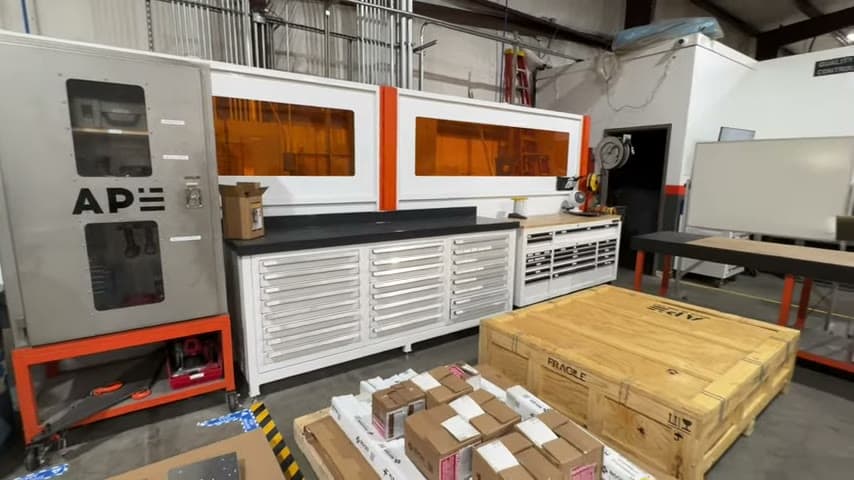
The team uses two labeled toolboxes. The left toolbox holds hardware, and the right toolbox holds standard assembly tools.
Make the storage standard visible so everyone can reuse the same knowledge.
What is a Dedicated Hardware and Assembly Toolboxes?
A dedicated hardware and assembly toolbox setup separates small parts from the tools used for assembly. Each category has its own toolbox with the contents labeled on the front.
In the example, the left toolbox is for hardware and the right toolbox is for standard assembly tools. The stated goal is that a new person could find the items, while an experienced person can work even more easily from the same standard.
This is a basic 5S and visual management improvement. It turns personal knowledge about where things are kept into shared knowledge at the point of use.
Why it works
The improvement works because the correct storage logic is visible, reusable, and hard to misunderstand.
- Knowledge reuse: the labels teach every person where hardware and assembly tools belong without relying on tribal knowledge.
- Added value: workers can focus on assembly work instead of deciding where to search or where to return items.
- Mistake-proofing: separating hardware from tools reduces the chance of choosing from the wrong group or putting items back in the wrong place.
- Training support: the same storage standard works for a new person and for a long time veteran.
Evidence: The transcript says the front of the box is labeled so that even a sixth grader could find the items, and that a 25 year veteran would find it even easier.
How to create this idea
- 1Sort the items
Separate hardware from standard assembly tools. Remove anything that does not belong in either category.
- 2Assign dedicated boxes
Use one toolbox for hardware and one toolbox for standard assembly tools. Keep the categories simple enough that a new person can understand them.
- 3Label the fronts
Put the category name on the front of each toolbox. Use direct wording such as Hardware and Standard Assembly Tools.
- 4Teach the rule
Show the team which toolbox holds each category. Make the label the rule for both finding and returning items.
- 5Check the standard
Look for items placed in the wrong toolbox after use. If mistakes continue, improve the category names or split the contents more clearly.
Best used when
- shared tool storage
- assembly work
- mixed small parts
- new worker training
- common shop items
Less useful when
- single user bench
- very few items
- temporary kits
- unclear ownership
Products and tools mentioned
- Assembly tools: Stored as their own category in the right toolbox.
- Hardware: Included in the staged kit before it moves to welding.
- Toolbox: Used as dedicated storage, one for hardware and one for standard assembly tools.
Tags
- Problem
- searchingmisplaced itemsinventory
- Lean methods
- 5Svisual managementstandard work
- Application
- assemblytool storageshop floor
Captured from American Precision Engineering at American Precision Engineering in the video "Tour of APE's lean shop", at 00:11:10. On Lean Toolbox. Watch the original video on YouTube ↗