QR Code Reorder Cards for a Consumables Drawer
Scannable reorder cards trigger restocking the moment consumable stock drops below its minimum.
- Creator
 American Precision Engineering
- Company
- American Precision Engineering
- Wastes
Consumables run out unpredictably, and no one knows what to reorder or how without hunting for part numbers and suppliers.
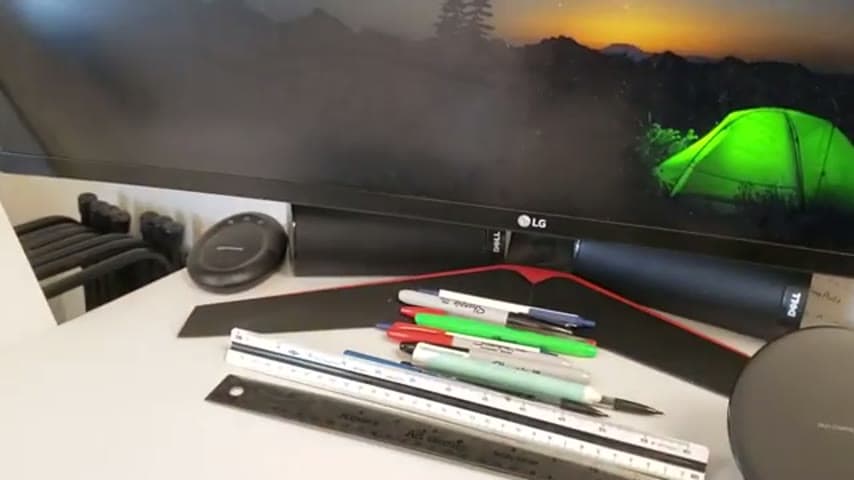
The team set max and min stock levels per item in the consumables drawer. When stock hits the minimum, an operator pulls a card whose back holds a QR code that opens the exact reorder for that item.
Make the reorder decision and the ordering knowledge visible at the point of use.
What is a QR Code Reorder Cards for a Consumables Drawer?
This is a visual reorder system built into a consumables drawer. Each consumable has a defined maximum stock (six of something) and a minimum stock (two). A card sits with the stock, and its back carries a QR code linked to the reorder for that specific item.
When stock falls below the minimum, the operator pulls the card and scans the QR code to place the order. The trigger point and the ordering method are both physical and obvious, so no lookup or tribal knowledge is needed.
It combines a two-bin style min/max signal with embedded ordering knowledge. The card is both the signal that says order now and the shortcut that says here is exactly what to order.
Why it works
It captures the reorder decision and the correct source once, then makes them reusable by anyone.
- The QR code encodes the exact item and supplier so no one has to know the part number.
- Defined min and max levels remove judgment calls about when to reorder.
- Any operator, not just the person who set it up, can reorder correctly.
- Prevents both stockouts and over-ordering by fixing the reorder trigger.
How to create this idea
- 1Set min and max per item
Decide a maximum stock and a minimum stock for each consumable in the drawer.
- 2Create a reorder card
Make a card for each item that describes what it is.
- 3Add a QR code to the back
Link a QR code on the card back to the correct reorder page or order form for that item.
- 4Place the card at the minimum level
Position the card so it is reached when stock drops to the minimum count.
- 5Pull and scan when triggered
When stock hits the minimum, pull the card and scan the QR code to order.
Best used when
- consumable supplies
- repeat reorders
- shared workstations
Less useful when
- one-off items
- no fixed supplier
- custom made parts
Products and tools mentioned
- QR code cards: Cards with scannable QR codes for tracking parts, tasks, or inventory.
Tags
- Problem
- stockoutsreorderingover-ordering
- Lean methods
- visual managementmin maxkanban
- Application
- consumables drawerworkstationsupplies
Captured from American Precision Engineering at American Precision Engineering in the video "Tour of APE's lean shop", at 00:03:16. On Lean Toolbox. Watch the original video on YouTube ↗