One Switch Buffer and Dust Collector: Start Required Support Equipment Automatically
Link the buffer and dust collector to one switch so the proven finishing setup is used every time.
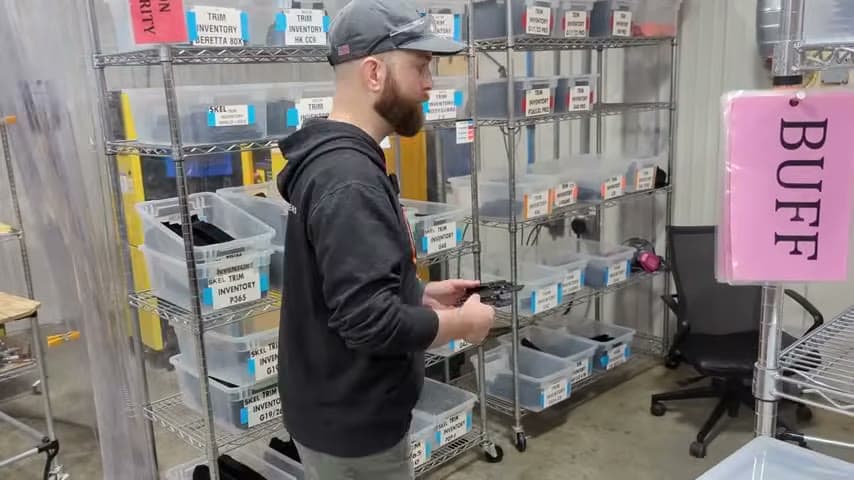
- Creator
 Audacity Micro
- Company
- Henry Holsters
- Wastes
Buffing sharp cut edges creates dust, but a separate dust collector can be missed because it is quiet and its running state is not obvious.
The team used one switch to power the buffer and turn on the dust collector together. They also added a status lamp so the operator can see that dust collection is running.
Build proven support steps into the workstation so they are visible and hard to skip.
What is a One Switch Buffer and Dust Collector?
A one switch buffer and dust collector setup links a production tool to the support equipment that should always run with it. When the operator starts the buffer, the dust collector starts at the same time.
In this example, cut holster parts have sharp edges that need finishing and buffing with abrasive finishing wheels. The dust collector is quiet enough that the operator may not notice whether it is running, so a status lamp makes the condition visible.
This is mistake proofing by knowledge reuse. The team captured the known rule, buffing requires dust collection, and built it into the workstation instead of relying on memory or a separate start step.
Why it works
The improvement turns a known good work method into the default condition at the point of use.
- Reuses process knowledge by embedding the rule that the buffer and dust collector belong together.
- Adds value by keeping the finishing operation in its correct support condition before work begins.
- Mistake proofs the task by reducing the chance that buffing starts without dust collection.
- Makes a quiet, hidden condition visible with a status lamp so the operator can confirm the setup quickly.
Evidence: The transcript states that one switch powers the buffer and turns on the dust collection, and that a status lamp is used because the dust collector is quiet enough that an operator may not notice it running.
How to create this idea
- 1Find linked steps
List tools that should always run with a support device. Look for cases where a separate switch lets people skip a known requirement.
- 2Define the rule
Write the standard in simple words, such as buffer on means dust collector on. Make sure the team agrees that the devices should start together.
- 3Use one start action
Connect the tool and support device to one appropriate control so one action starts both. Use qualified help for electrical work and verify the equipment ratings.
- 4Add visible status
If the support device is quiet or hard to see, add a status lamp where the operator naturally looks. The signal should show whether the required support process is running.
- 5Check the standard
Test the switch, dust collector, buffer, and lamp as one system. Include the check in routine audits so the mistake proofing remains reliable.
Best used when
- paired equipment
- quiet support devices
- dust producing work
- repeat finishing
Less useful when
- independent tools
- shared collectors
- temporary setups
- manual sequencing needed
Products and tools mentioned
- Abrasive finishing wheel: Used on the buffer for edge finishing.
- Buffer: Used to finish and buff sharp cut edges.
- Dust collector: System capturing dust and debris from machines to keep air clean.
- Electrical switch: Provides one start action for the buffer and dust collector.
- Status lamp: Shows that the quiet dust collector is running.
Tags
- Problem
- forgotten stepdustdefects
- Lean methods
- mistake proofingstandard workvisual management
- Application
- buffingfinishingdust collection
Captured from Audacity Micro at Henry Holsters in the video "THIS is what a LEAN shop looks like - Lean Machine Shop Tour", at 00:14:50. On Lean Toolbox. Watch the original video on YouTube ↗