Laminated Rack Cards: Identify and Track Staged Materials
Use laminated cards and status cones on racks so staged pallets show identity, status, and notes at the point of use.
- Creator
 American Precision Engineering
- Company
- American Precision Engineering
- Wastes
Staged materials can sit on racks without clear identity or status, so people have to recheck what they are, ask around, or risk moving material that is on hold.
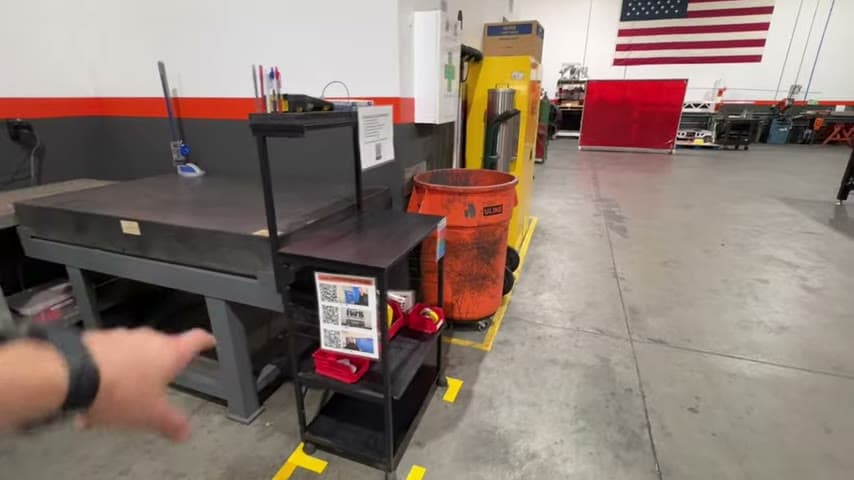
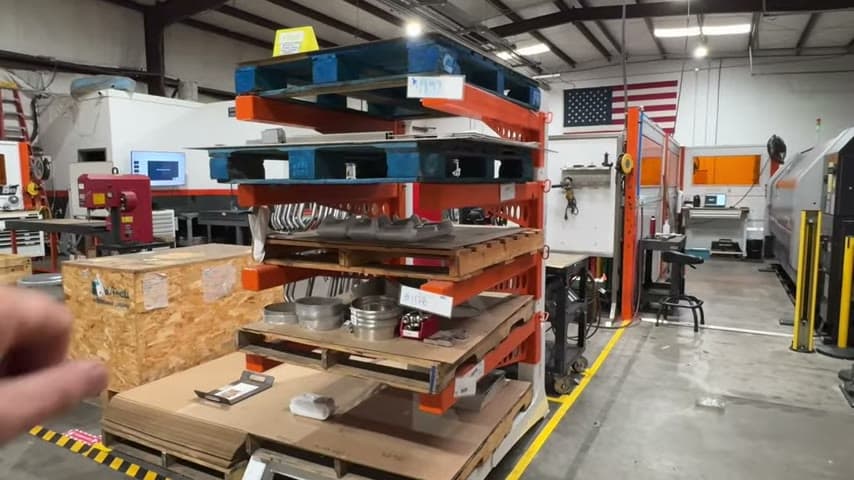
The team put laminated cards on the racks to help track materials, used cones to show status such as hold with notes, and sized rack spaces to fit only one pallet while allowing brackets to adjust for bigger parts.
Make material knowledge visible and reusable at the rack.
What is a Laminated Rack Cards?
A laminated rack card system is a visual control for staged materials. The card identifies what is on the rack and helps the team keep track of it where the material is stored.
Status cones add a second layer of visible knowledge. A cone can show the condition of the material, such as hold, and can carry notes so the next person understands what has already been decided.
The rack design supports the same standard. Adjustable brackets allow bigger parts when needed, while small rack spaces that fit only one pallet make excess staged inventory harder to hide.
Why it works
The system makes identity, status, and handling decisions visible so people reuse known information instead of solving the same question again.
- Knowledge reuse: laminated cards capture material identity and tracking information at the rack for the next person to read.
- Added value: status notes tell people what action is allowed or needed without waiting for verbal explanation.
- Mistake proofing: a hold cone makes restricted material obvious, reducing the chance that someone moves or uses the wrong material.
- Inventory control: rack spaces sized for one pallet make extra staged inventory visible instead of normal.
Evidence: The transcript says the team uses laminated cards to make it easier to keep track of stuff, uses cones to show status including a hold cone with notes, and made the rack spaces small on purpose because excess inventory is waste.
How to create this idea
- 1Define rack locations
Mark clear locations for staged material on each rack. Size each location around the intended amount, such as one pallet, so extra inventory stands out.
- 2Allow needed adjustment
Use adjustable brackets if part size changes. Keep the normal position standard clear, then adjust only when bigger parts require it.
- 3Make laminated cards
Create a card for each material or rack location. Include the information people need to identify and track the staged material.
- 4Add status cones
Use cones to show material condition, such as hold. Add short notes when the status needs explanation.
- 5Teach the standard
Agree on what each card field and cone status means. Make sure anyone who stages, moves, or uses the material follows the same visual signals.
Best used when
- staged materials
- shared racks
- hold material
- pallet staging
- variable parts
Less useful when
- no staging area
- single item flow
- fully digital tracking
- one fixed material
Products and tools mentioned
- Laminated cards: Protective plastic-coated cards used for durable work instructions or signals.
- adjustable brackets: Adjust up or down when bigger parts need more space.
- material rack: Holds staged materials in defined rack locations.
- pallet: Used as the physical capacity limit for the rack.
- status cones: Show material status, such as hold, with notes.
Tags
- Problem
- material trackingexcess inventorylost status
- Lean methods
- visual managementmistake proofing5S
- Application
- material stagingrackingwarehouse
Captured from American Precision Engineering at American Precision Engineering in the video "Tour of APE's lean shop", at 00:07:25. On Lean Toolbox. Watch the original video on YouTube ↗