Attendance and Role-Coverage Visual Board
A board showing who is absent and who is backfilling each role removes daily confusion about coverage.
- Creator
 WillytheMinimalist
- Company
 JCR Offroad
- Wastes
When someone is out sick, the team has to figure out who covers their role. Without a shared view, people waste time asking around and waiting for direction, and roles can get missed during the daily task window.
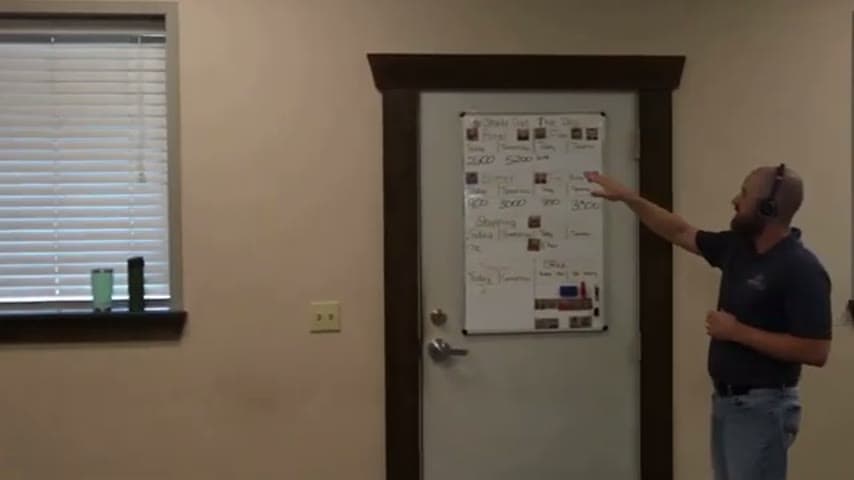
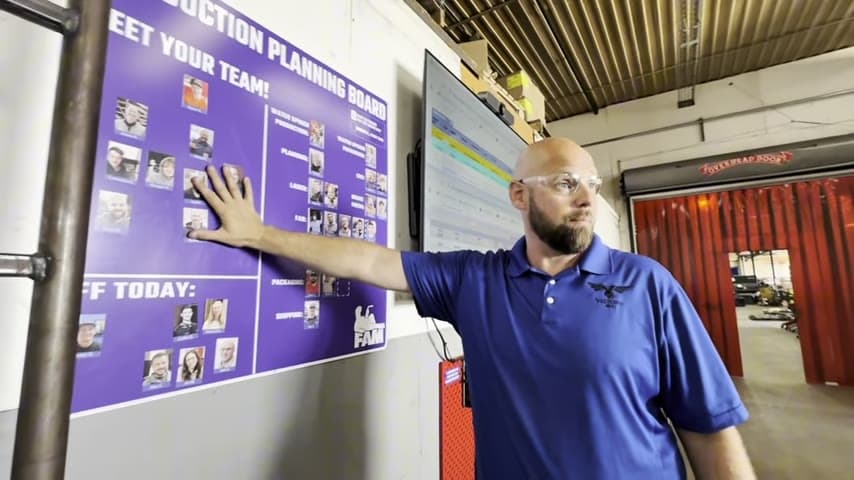
The team built a visual board with everyone's picture and face, then mapped it to the production layout. When a person is absent, the board shows who is backfilling their role so coverage is clear at a glance.
Make staffing and coverage visible so decisions are shared, not rediscovered.
What is a Attendance and Role-Coverage Visual Board?
An attendance and role-coverage board is a shared visual that shows every team member and the role they normally fill. Each person is represented by a photo or name card tied to a spot in the production layout.
When someone is absent, the board is updated to show who is covering that role. Anyone walking up can see instantly who is present, who is out, and how gaps are being filled for the day.
Because it is laid out to match the actual production flow, it doubles as a map of the operation. It answers two questions at once: who is here, and who is doing what.
Why it works
The board turns a repeated coverage decision into visible, reusable information the whole team can act on.
- Coverage decisions are made once and displayed, so nobody re-asks who is filling in.
- New or crossing team members can self-direct by reading the board instead of tracking down a lead.
- Mapping people to the production layout makes an unfilled role obvious before it becomes a missed task.
- A shared source of truth prevents two people assuming the same gap is someone else's job.
How to create this idea
- 1Photograph the team
Put a picture and name for every team member on the board so identity is unmistakable.
- 2Lay out the production flow
Arrange the cards to match your actual production layout and roles, not just an alphabetical list.
- 3Mark absences
Add a clear way to flag who is out (sick, off) each day.
- 4Show the backfill
Indicate who is moving to cover each empty role so coverage is explicit.
- 5Update it daily
Refresh the board at the start of the shift as part of the daily huddle.
Best used when
- role-based production
- frequent absences
- cross-trained teams
- shift start huddles
Less useful when
- solo work
- static assignments
- very small teams
Tags
- Problem
- coverage confusionwaitingwasted motion
- Lean methods
- visual managementvisual boarddaily huddle
- Application
- production floorstaffingshift management
Captured from WillytheMinimalist at JCR Offroad in the video "Lean Tour of JCR in Michigan", at 00:01:22. On Lean Toolbox. Watch the original video on YouTube ↗