3D Printed Label Dispenser That Self-Peels Stickers
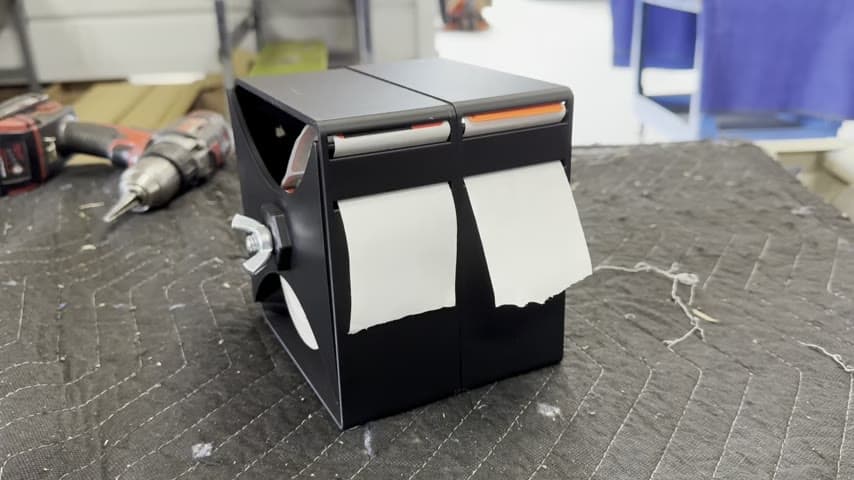
A custom 3D printed holder pulls the backing off each label so workers grab a ready-to-apply sticker.
- Creator
 JCR Lean Ninjas
- Company
- JCR Lean Ninjas
- Wastes
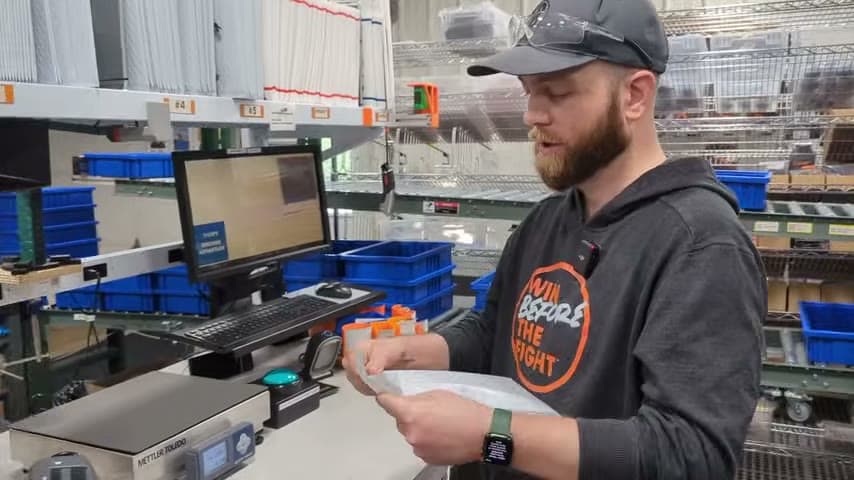
In packaging, workers had to peel each sticker off its backing by hand before applying it, adding fiddly finger motion and slowing every unit.
The team 3D printed a sticker dispenser that loads a roll of labels through the side. As the worker pulls a label, the dispenser self-peels it from the backing so it comes out ready to apply.
Design the fixture to do the fiddly step so the worker only does the value-adding one.
What is a 3D Printed Label Dispenser That Self-Peels Stickers?
A self-peeling label dispenser is a holder that separates a printed label from its backing paper as the label is pulled out. The label roll feeds in from the side, and a sharp edge or peel bar strips the backing at the exit so a ready sticker presents itself.
Here the dispenser is 3D printed, meaning it was designed and made in-house to fit the specific label size and workstation. That makes it cheap to iterate and easy to replicate at other stations.
Instead of picking a label, pinching the corner, and peeling the backing away, the worker simply pulls and grabs. The peeling motion and the overprocessing of handling the backing are removed from the task.
Why it works
The dispenser turns a learned hand skill into a built-in feature of the tool, so the proven method is repeated every time without depending on the worker.
- Standardizes the peel step into the fixture so every label comes out the same way.
- Mistake-proofs handling by removing the chance to grab the backing or tear the label.
- Being 3D printed, the design file can be shared and reprinted for any station that uses labels.
- Frees attention for placing the label accurately, the step that actually adds value.
How to create this idea
- 1Isolate the manual step
Confirm the peel-by-hand action is the waste, separate from applying the label.
- 2Measure the label and roll
Record label width, backing thickness, and roll diameter to size the holder.
- 3Design a peel edge
Model a sharp bend or edge at the exit so pulling the label snaps it off the backing.
- 43D print and test
Print the dispenser, load a roll from the side, and tune the peel angle until labels release cleanly.
- 5Replicate and share the file
Save the print file and deploy the dispenser at every station that peels labels.
Best used when
- repetitive label application
- peel-and-stick packaging
- high sticker volume
Less useful when
- rare labeling tasks
- irregular label shapes
- auto-applied labels
Products and tools mentioned
- 3D printer: Additive manufacturing machine that builds custom parts, jigs, and fixtures from digital models.
Tags
- Problem
- manual peelingslow handling
- Lean methods
- poka-yokefixture design3D printing
- Application
- packaginglabeling
Captured from JCR Lean Ninjas at JCR Lean Ninjas in the video "Packaging sticker upgrade!", at 00:00:06. On Lean Toolbox. Watch the original video on YouTube ↗